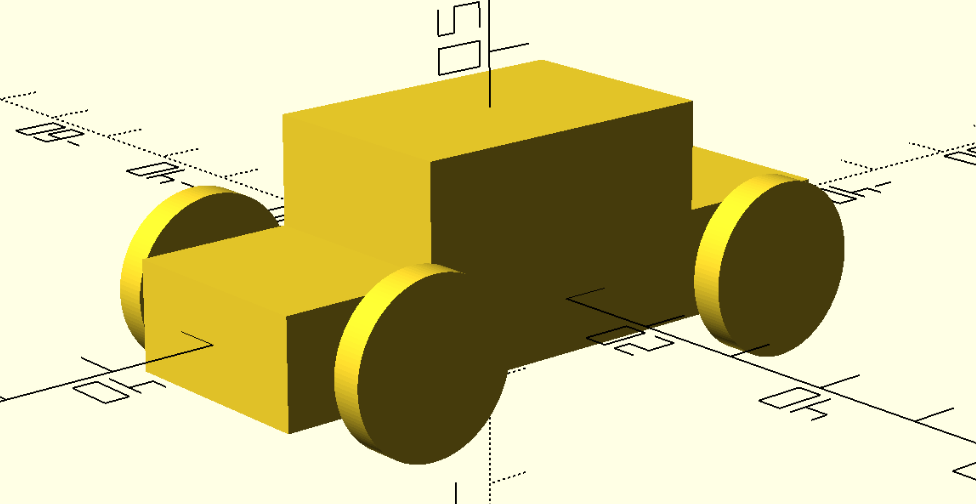
I have a confession: this past summer I bought a Creality Ender 3v3 Plus 3D printer, and I don’t know how to make 3D models. Sure, there’re a bunch of models available and some of them are very good, but I need to be able to make my own models because sometimes I need to make parts. I have tried so many times to use tools like OnShape and FreeCAD, and I can make some progress. Unfortunately, though, after more than 30 years of programming computers my brain has rotted and I think primarily in terms of instruction sets and code. Luckily for me, OpenSCAD allows you to join in the fun on CAD without having to be good at digital drawing, and without you having to learn a bunch of toolbar buttons and such: you can just use code!
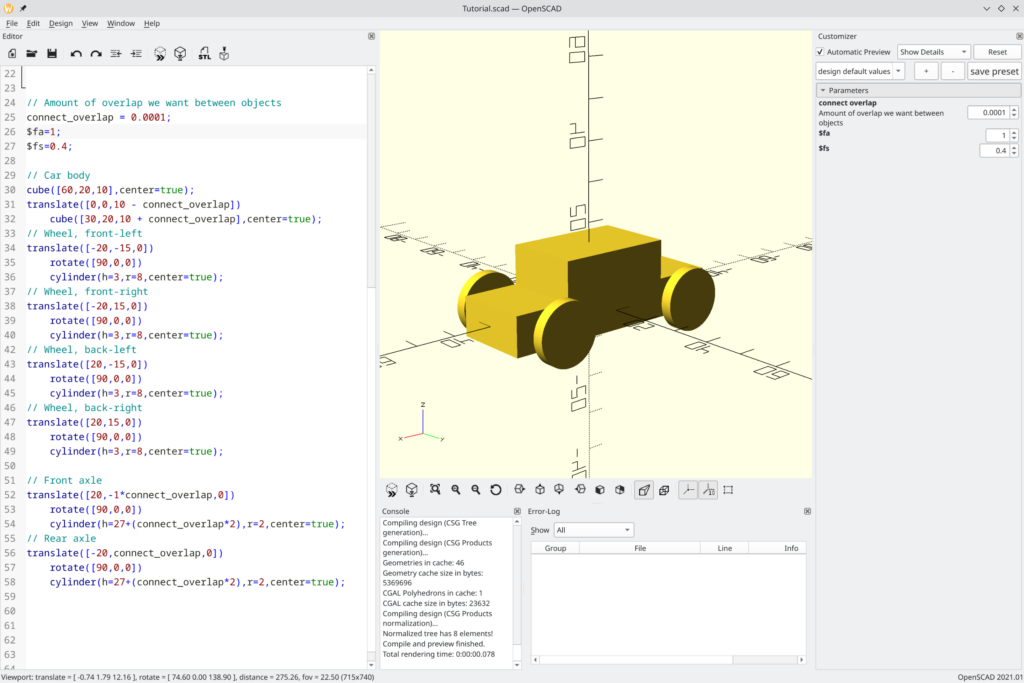
This is the OpenSCAD interface, and in it you can see the model I have at the end of Chapter 1 in this really great tutorial: https://en.wikibooks.org/wiki/OpenSCAD_Tutorial/Chapter_1
I’m finding this a lot more intuitive of a process, and this code is pretty easy to follow (though it is quite imperative).
// Amount of overlap we want between objects
connect_overlap = 0.0001;
$fa=1;
$fs=0.4;

// Car body
cube([60,20,10],center=true);
translate([0,0,10 - connect_overlap])
    cube([30,20,10 + connect_overlap],center=true);
// Wheel, front-left
translate([-20,-15,0])
    rotate([90,0,0])
    cylinder(h=3,r=8,center=true);
// Wheel, front-right
translate([-20,15,0])
    rotate([90,0,0])
    cylinder(h=3,r=8,center=true);
;
// Wheel, back-left
translate([20,-15,0])
    rotate([90,0,0])
    cylinder(h=3,r=8,center=true);
// Wheel, back-right
translate([20,15,0])
    rotate([90,0,0])
    cylinder(h=3,r=8,center=true);

// Front axle
translate([20,-1*connect_overlap,0])
    rotate([90,0,0])
    cylinder(h=27+(connect_overlap*2),r=2,center=true);
// Rear axle
translate([-20,connect_overlap,0])
    rotate([90,0,0])
    cylinder(h=27+(connect_overlap*2),r=2,center=true);Code language: OpenSCAD (openscad)
There’s a lot to learn, and I’m just getting started. This learning is absolutely related to that [REDACTED] project that I discussed in Fun with NFC. I’m definitely one of those folks who skims the tutorial, but since I have time on my hands right now I’m going to go through the whole thing in the next couple of days. I won’t be posting about it every step of the way, but I will be posting about it some, and I’ll show you any prints I make while learning.
Here are my learning goals:
- I want to be able to design and print a base for this new art project I’m working on (stay tuned!)
- I need to be able to design and print the housing for an electronics project I’m working on
- I want to learn how to do this and then incorporate build systems so I can produce STL files without having to even open the UI
OpenSCAD has a bunch of advantages for me:
- I think in code pretty well, so the OpenSCAD syntax will be helpful
- The OpenSCAD syntax, being code, is easier to version-control and share
- I want to be able to parameterize sizes and positions of things, and I think having code will help me achieve that
- OpenSCAD will work in build systems to produce STL files from its scad syntax
That’s all
This is a brief post, I’m just having a good time.